FUTMARKET.APP / FC27
FC27 Smart Gallery guide: sync, score, plan and buy safely
Smart Gallery is more than a card browser. It keeps historical collection state, estimates set grades, builds a level route and checks First Owner. Use the cached result first, then recalculate only when your data has changed.
Everyday tools & quick help ↗ · FC27 Smart Trader guide: one-click BIN, bulk fodder and BID ↗
Real English UI crops. Click an image to enlarge. Card names, totals and prices are examples; the interface follows your plugin language.
Know the three different card states
Collected means the card appeared in the historical Gallery record. It is different from a card currently in your club, and different again from First Owner. Selling or submitting a collected card does not erase the historical collection mark.
First Owner is earned or initially received ownership, not simply “currently owned.” If the plugin lacks verified history, it assumes first owner and may overstate the score. Open Review big cards or a set, switch a card to Non-FO only when you bought it and never earned it, then recalculate.
Unknown is not missing. The TOTW set name stays TOTW in every language to avoid ambiguous translations. Skill ratings use five levels: a five-star card receives the five-star bonus. The interface correctly converts EA’s zero-based value instead of counting it twice.
Sync first, then calculate manually
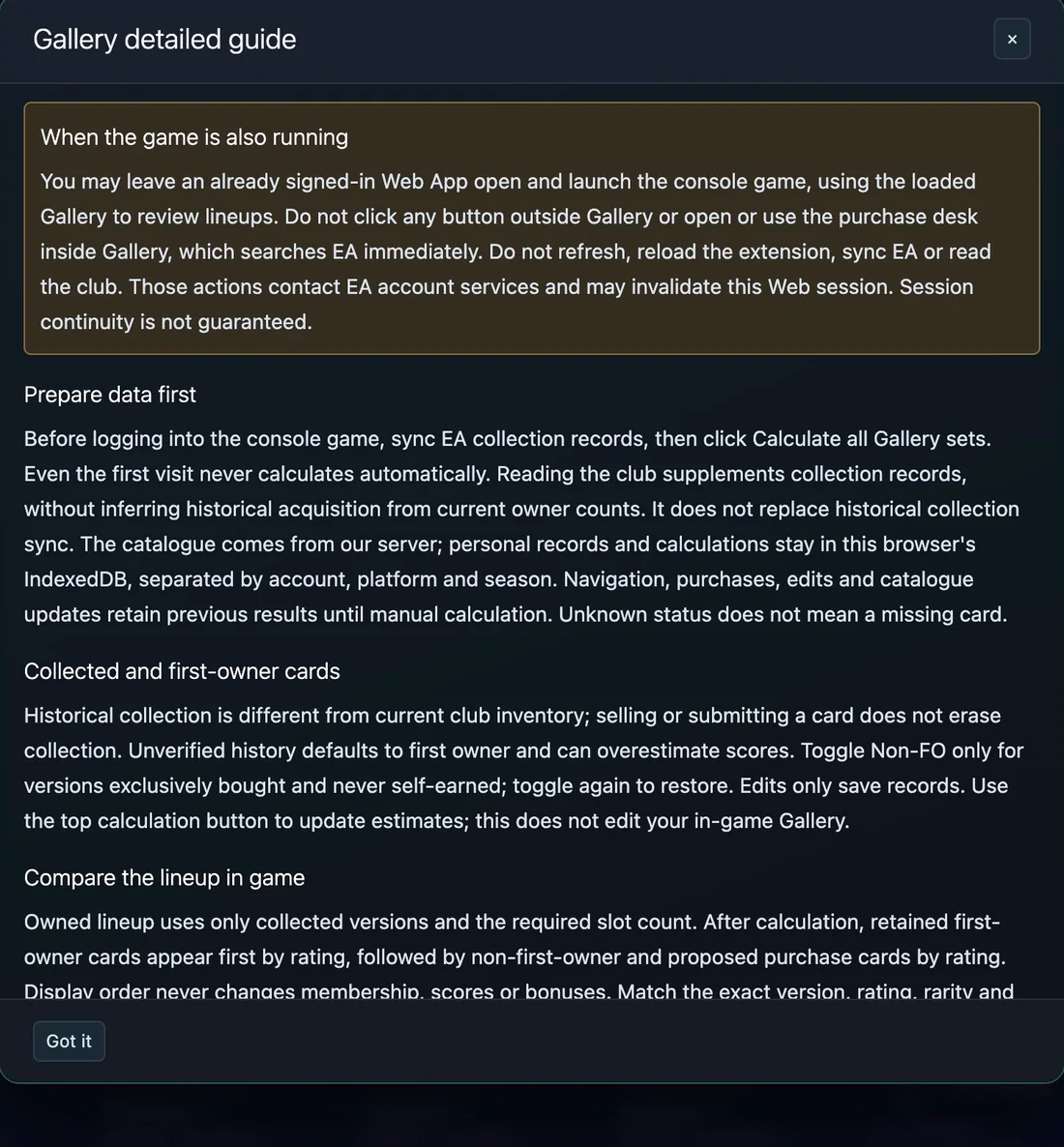
Use Incremental EA sync to read collection records. Read current club supplements what you still own, but cannot reconstruct your historical acquisition history. Check “Answered / requested versions”; an incomplete sync means some versions are unknown and excluded, not automatically missing.
Calculate all Gallery sets is always a separate click. Opening Gallery, syncing and reading the club never start a full calculation. The warning stays visible because a full pass can take time: while it runs, do not refresh, reload the extension, leave Gallery, or make purchases. Use Stop calculation when needed; completed results are retained.

Read the overview and choose a target
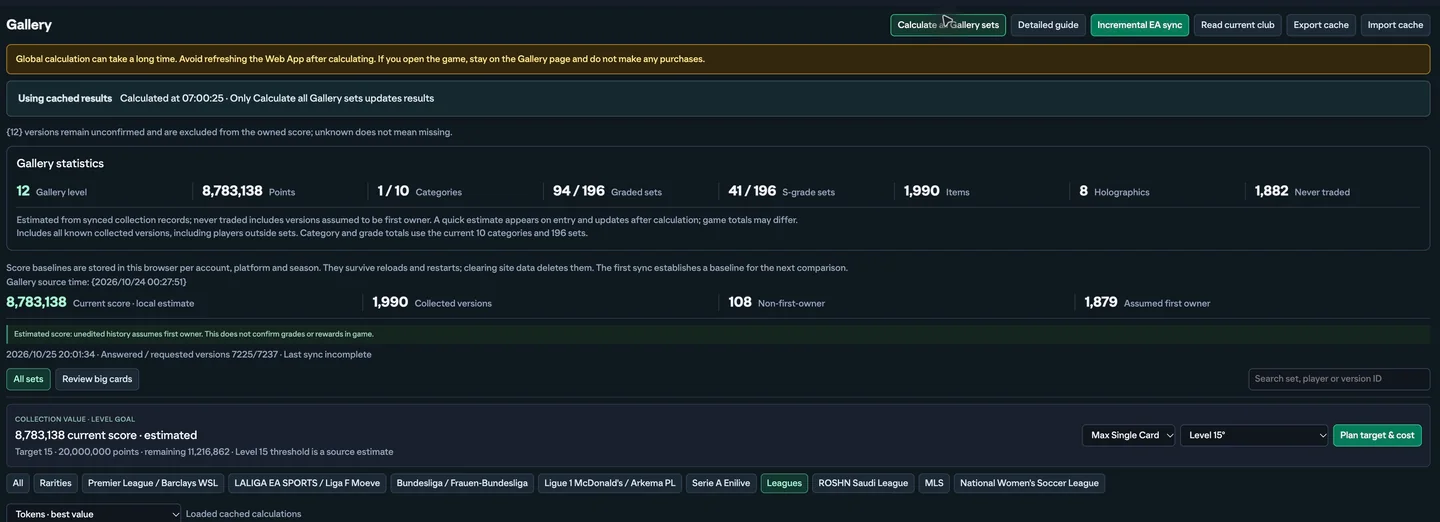
The overview separates local score, collected versions, non-first-owner cards and assumed first owners. Game totals can differ because this is a local estimate. A “using cached results” notice is safe, but recalculate after a completed sync, owner edits or catalogue changes.
Choose a level target, then choose Max Single Card or Total purchase. “Plan target & cost” compares reference quotes and shared gains. Max Single Card caps each individual card; Total is the accumulated purchase estimate. The level 15 threshold may be marked as an estimate, so verify the final Game requirement.
Compare set opportunities without buying too early
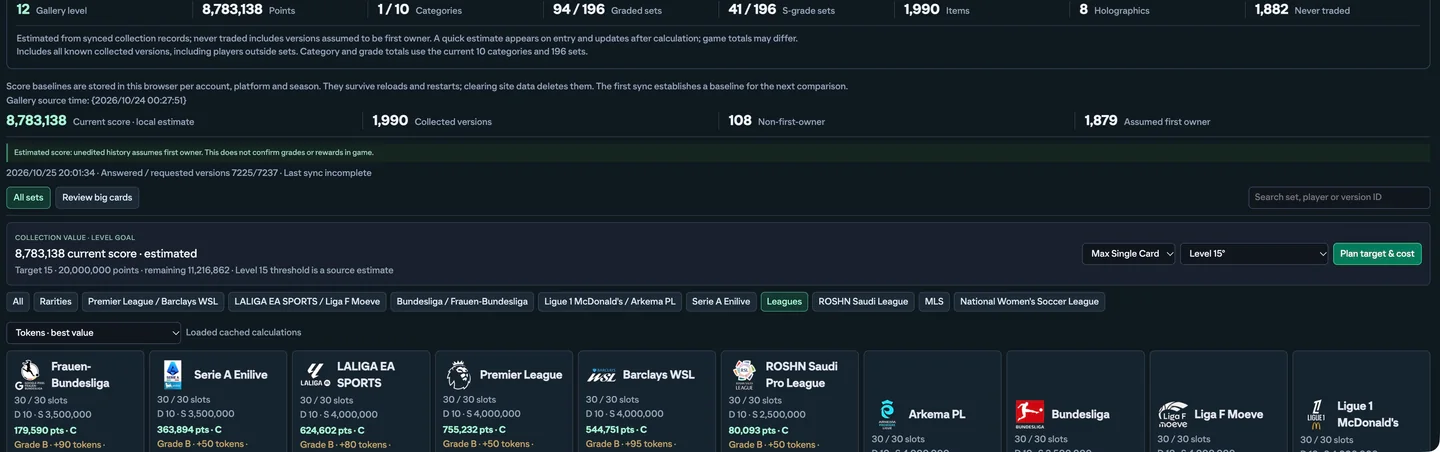
Each set tile shows filled slots, the D-to-S threshold, current or incomplete grade, next grade, new tokens, total affected points, maximum single-card cost, total purchase estimate, five-percent EA tax and the number to buy.
“Includes shared gains” means one version may help several sets, but its cost is charged once. Tokens are additional reachable rewards, not claimed rewards. Sort by Tokens best value when saving coins matters, or by best or highest points when finishing a level is the priority.
Open one set and read D through S
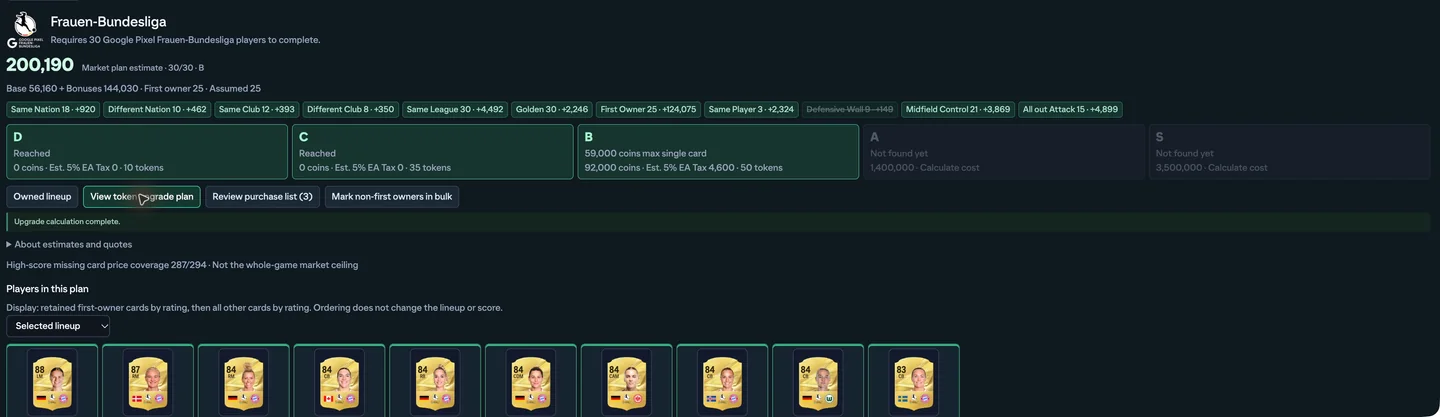
Open a set to see its required player count, base points, tag bonuses, First Owner bonuses and the D, C, B, A and S thresholds. A reached grade costs zero in this plan. An unreached grade shows the missing-card estimate and relevant tax.
View token upgrade plan creates a candidate lineup from available collection records and reference prices. Confirm the slot count, exact versions, rarity and total cost. Large-pool searches are bounded: an unavailable quote or “not found” result is not proof that the card is impossible to buy.
Review the lineup and First Owner status
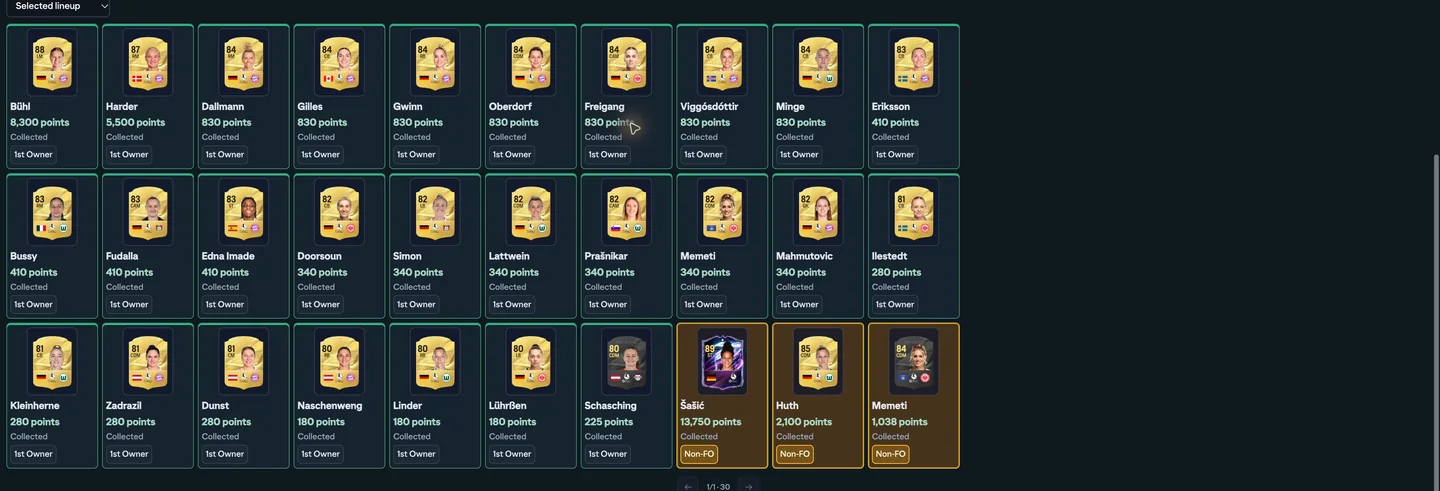
The selected lineup puts retained first-owner cards first by rating, followed by other cards and proposed purchases. That display order never changes membership, score or bonuses. Click a card face to select or remove it locally.
Before changing the in-game Gallery, match the exact version, rating, rarity and owner status. For many versions, use Mark non-first owners in bulk: selecting changes nothing; Apply saves your chosen owner marks. Then use the top calculation button to update estimates.
Fix high-value owner marks before spending
Review big cards sorts collected versions by item score. This is the fastest place to find high-value cards and correct First Owner assumptions that can distort many sets.
Use search and the card filter to narrow the list, and pagination to move through all 48-card pages. Return to individual sets for smaller cards or cards with special tag requirements.

Dual screen: calculate first, then edit on console
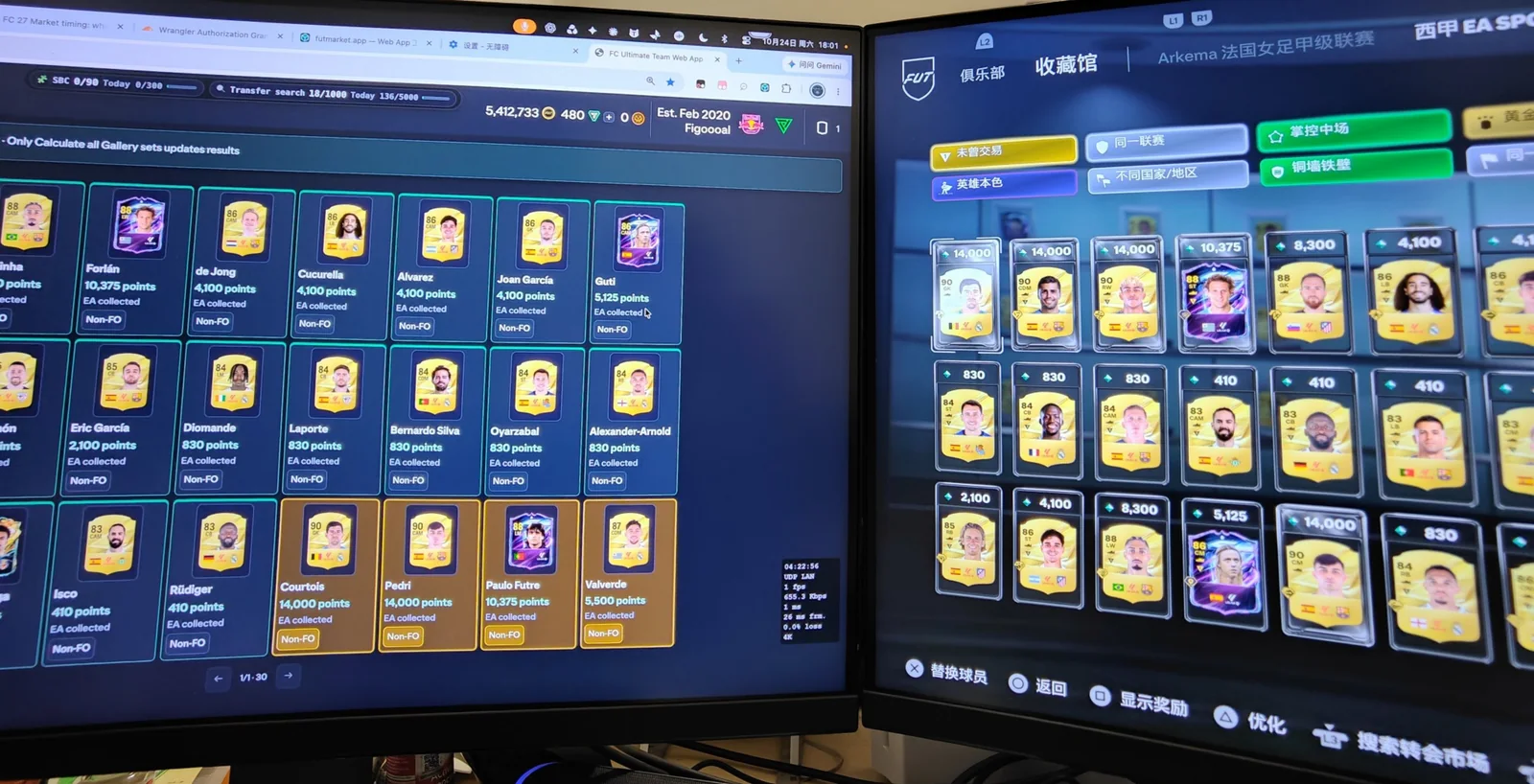
Finish synchronization and calculation in a normal Web App session before opening the console game. Keep the calculated set and its player lineup visible on the computer so you can match each exact version, rating, rarity and First Owner mark in the console Gallery.
Once the console game is open, stay on the Gallery page in the Web App. Do not refresh, reload the extension, leave Gallery, sync EA, read the club, or open or use the purchase desk; those actions contact EA account services and may invalidate the Web session. If the connection is lost, return after closing the console game and establish a normal Web session again before making more EA requests.
Buy a single set at a time
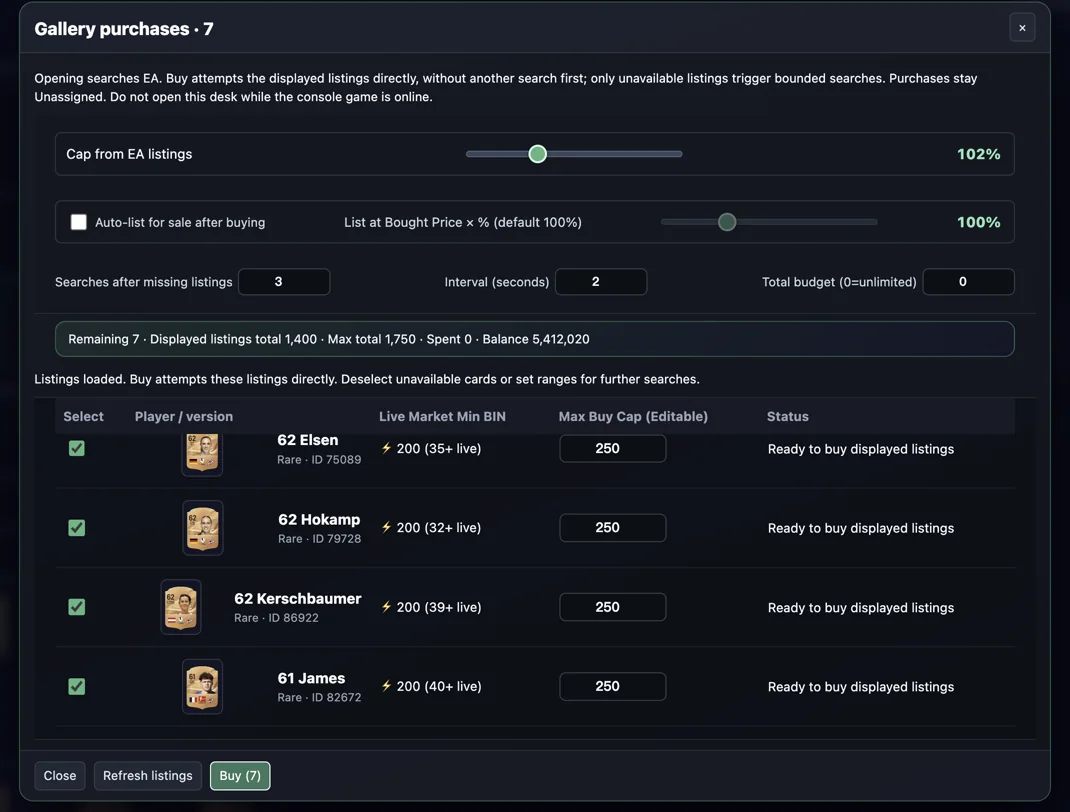
Use Review purchase list only from one set detail. There is no route-level purchase action: a full route can contain thousands of cards and freeze the page. Opening the purchase desk immediately searches EA, so use it only in a normal Web App session with the console game offline.
Check the exact version, returned listing, maximum BIN, total budget, searches after missing listings and interval. A budget of 0 means unlimited, not zero spend. Buy attempts returned listings first; additional searches are bounded by your settings.
Use the local cache and keep calculations cheap
Records, score baselines, calculations and catalogue data stay in this browser under account, platform and season. Reopening Gallery can show cached calculations before you recalculate. Keep the cache attached to the same EA identity.
Export cache saves the personal record and calculation snapshot. Import accepts only the same account, platform and season, replaces that account’s cache atomically and keeps one local pre-import copy. Reference quotes retain their expiry times. After catalogue or club changes, recalculate once and let cached results drive navigation.
Understand the most common notices
Data changed: previous results retained means the old result is still visible but no longer current. Calculate again. Calculation stopped keeps completed work. Unknown is not missing; incomplete quotes do not prove that a purchase target is impossible.
If an expected player is absent, check the exact set filter, availability, owner-only assumptions and search text. Planning never claims EA rewards; the in-game Gallery remains authoritative. Add TOTW or event cards to the game, then sync and recalculate rather than editing a local estimate into a claimed reward.
Words used in this guide
- First Owner: a card's acquisition status. It is different from currently owning or previously collecting the card.
Smart Gallery
The current public FUTMarket extension is free, including these core tools and the other available club tools. EA Web App access is required. Card purchases and SBC submissions can spend game coins or items.
Free FC 27 FUT Gallery Tracker ↗