FUTMARKET.APP / FC27
FC27 Squad Builder guide: draft squads and compare chemistry
Try a squad with your club: swap players, compare chemistry and save a draft.
Everyday tools & quick help ↗ · FC27 Smart Trader guide: one-click BIN, bulk fodder and BID ↗
Real English interface screenshots. Click to enlarge; plugin labels follow your selected language.
Open the workbench and choose a formation
- Go to Squads → Active Squad in EA, then click Squad Workbench.
- Choose Formation at the top left. Compare starters, average OVR, chemistry and players in position against the original values.
- This is a local draft. Closing it does not apply the draft to your EA squad.

Select a position, then a replacement
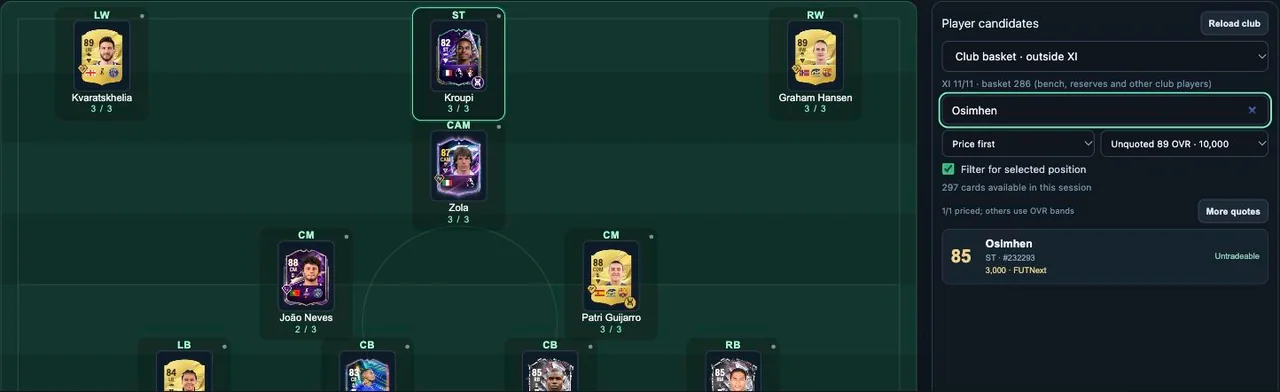
- Click a pitch slot, such as ST. Choose Club basket and enable Filter for selected position.
- Search by player name or card ID. Choose Price, Chemistry or OVR first, then click a candidate to place them in the selected slot.
- Replacing Kroupi with Osimhen raises average OVR from 86.0 to 86.3 here, but chemistry falls from 32 to 27. Compare both.
Find links and adjust the squad
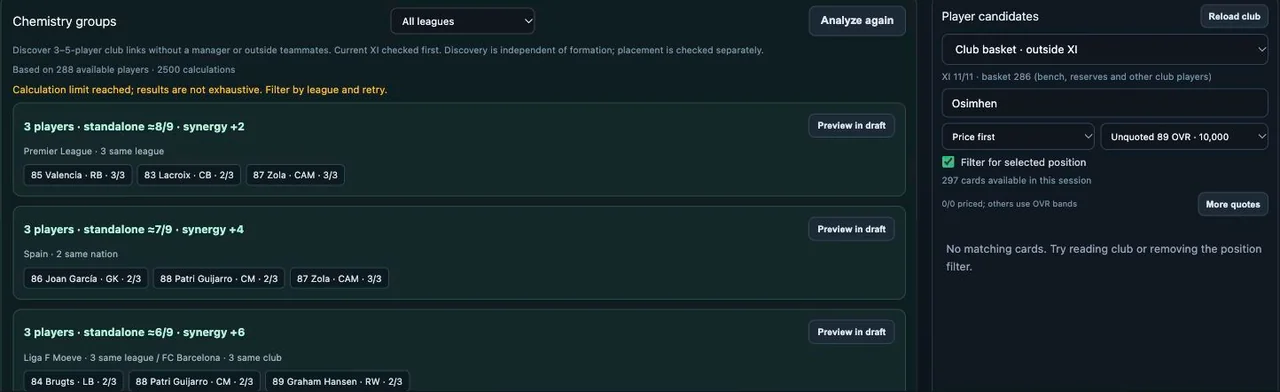
- Open Chemistry groups for 3–5-player club combinations. Filter by league and click Preview in draft.
- Group chemistry is a standalone estimate. Return to the pitch to check the whole XI, positions and current manager.
- Use Pin slot to keep a position, or Arrange positions to adjust. Compare with Undo / Redo; Restore original starts over.
Try planned buys and save
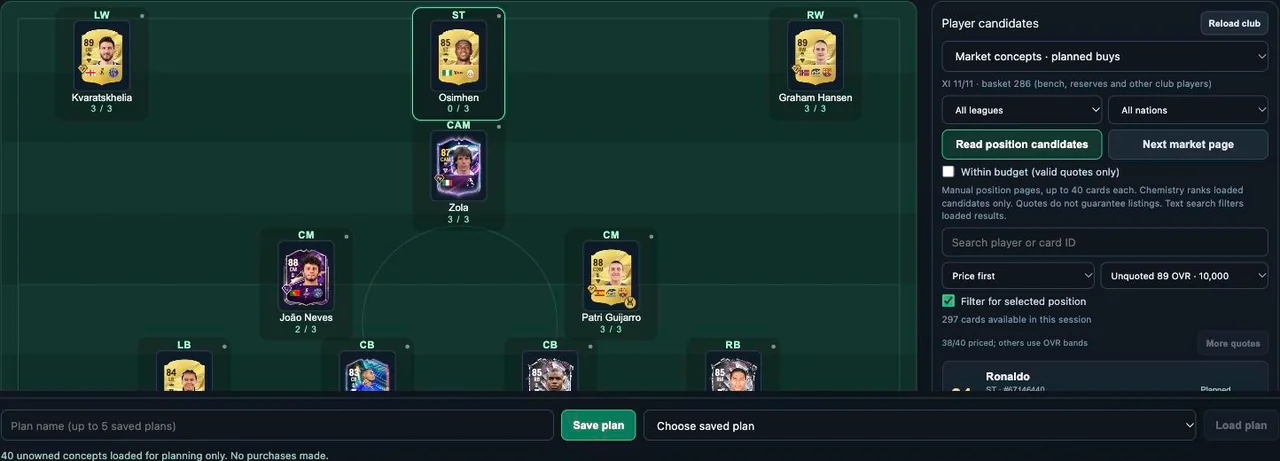
- Choose Market concepts, set league or nation filters and click Read position candidates. Text search filters loaded results; read the next page manually.
- Place a concept card in the draft to compare chemistry and estimated cost. Within budget uses valid quotes; a quote does not guarantee a listing.
- Enter a name and Save plan at the bottom, up to five plans. Select one and Load plan later. Buying and applying an EA squad are separate actions.
Words used in this guide
- Chemistry: how players fit the squad, separate from overall rating.
Squad Builder
The current public FUTMarket extension is free, including these core tools and the other available club tools. EA Web App access is required. Card purchases and SBC submissions can spend game coins or items.
Free FC 27 Squad Builder for the Web App ↗