FUTMARKET.APP / FC27
FC27 Trade Center guide: market trends, fodder CPP and profit ledger
Use the Trade Center to read the market, find a target and review your actual coin profit.
Everyday tools & quick help ↗ · FC27 Smart Trader guide: one-click BIN, bulk fodder and BID ↗
Real English screenshots. Click to enlarge; prices and time windows are examples.
Open the center and check timing
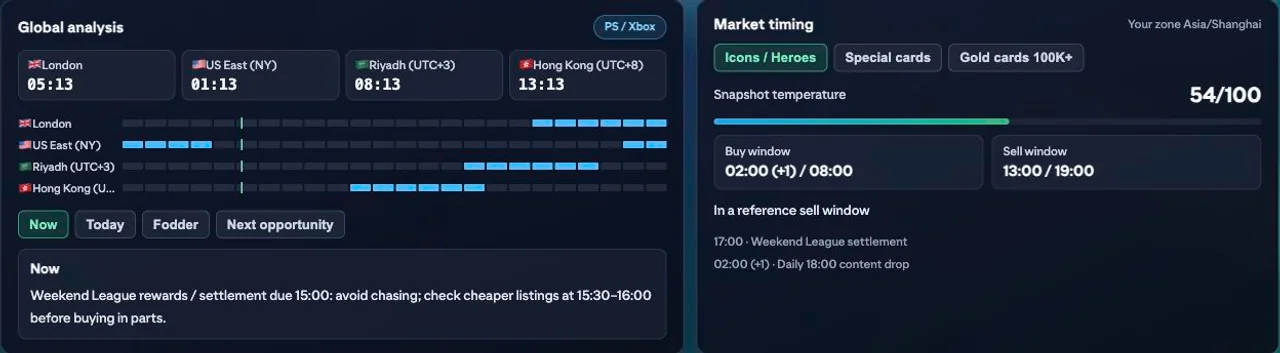
- Click Trade Center in EA’s left menu. Read the global clocks and Now / Today / Fodder / Next opportunity. Website market analysis opens the public site.
- Switch Icons / Heroes, Special cards or Gold cards 100K+ in Market timing. Read windows in the displayed time zone; +1 means tomorrow. These are reference windows.
Choose an index and time range
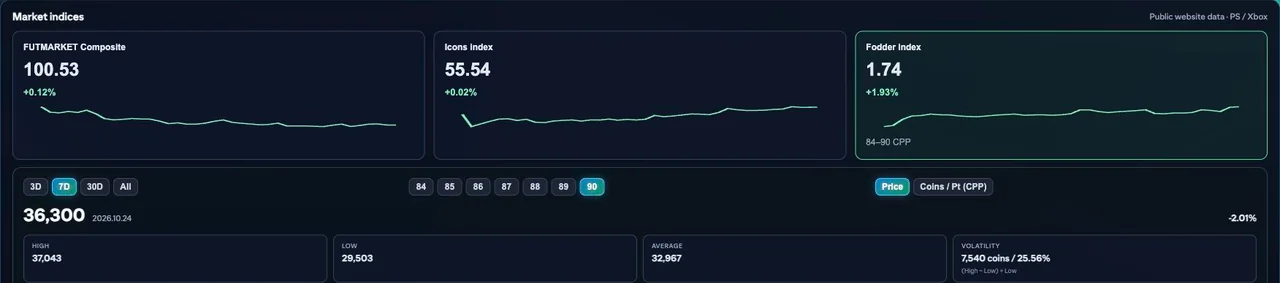
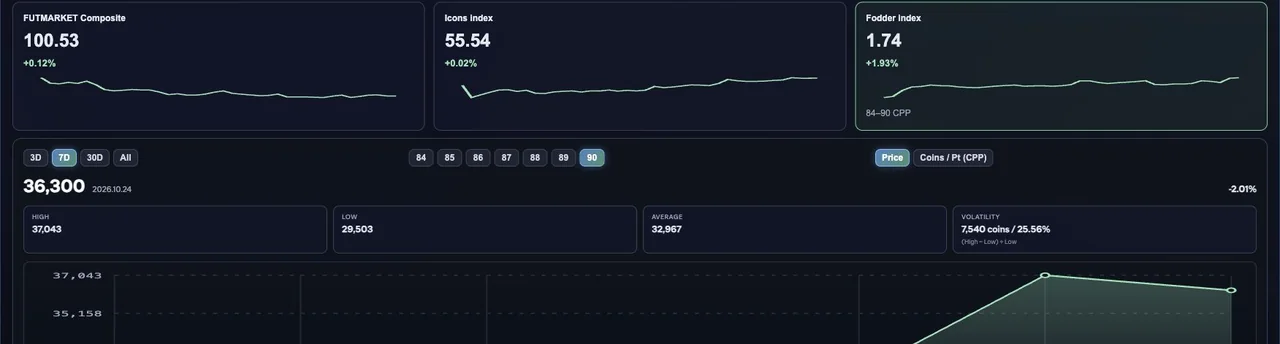
- In Market overview, select the Composite, Icons or Fodder index, then 3D, 7D, 30D or All.
- For fodder, select an 84–90 rating and Price or Coins / Pt (CPP). Compare highs, lows, averages and volatility for the same rating and period.
Find an exact card in the movers
- Scroll to Market movers. Switch 4H / 24H and browse gainers or losers; scroll inside each list for more.
- Click a player for exact-version details. If unavailable, try later. Send to Sniper passes the target along; review version, price cap and conditions before deciding to start.
Compare fodder CPP before a points SBC
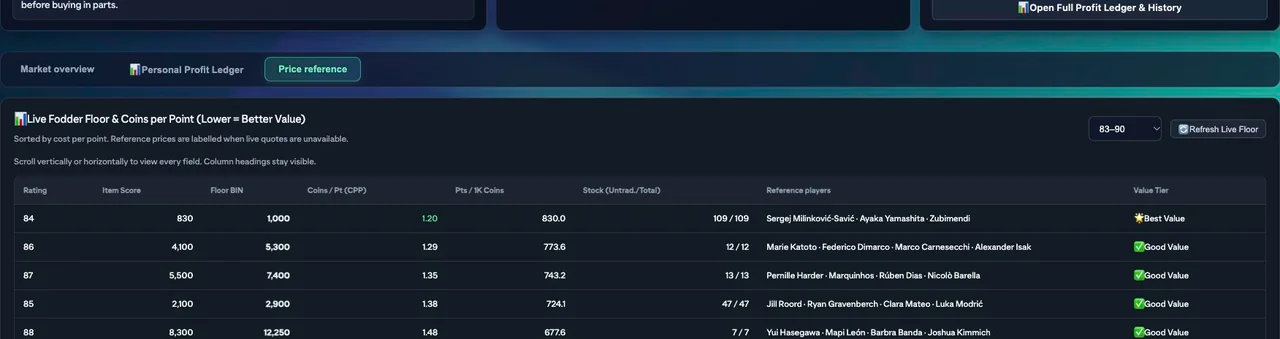
- Open Price reference and choose 83–90 or 83–96. Scroll across or down for rating, item score, price, CPP, points per 1K coins, untradeable/total stock and reference players.
- CPP (Coins per Point) = a card’s coin price ÷ its SBC points. 1,000 ÷ 830 ≈ 1.20 coins per point. Lower CPP buys equal points for fewer coins. Check reference labels when quotes are missing; actual listings decide purchase prices.
Check chemistry styles and managers
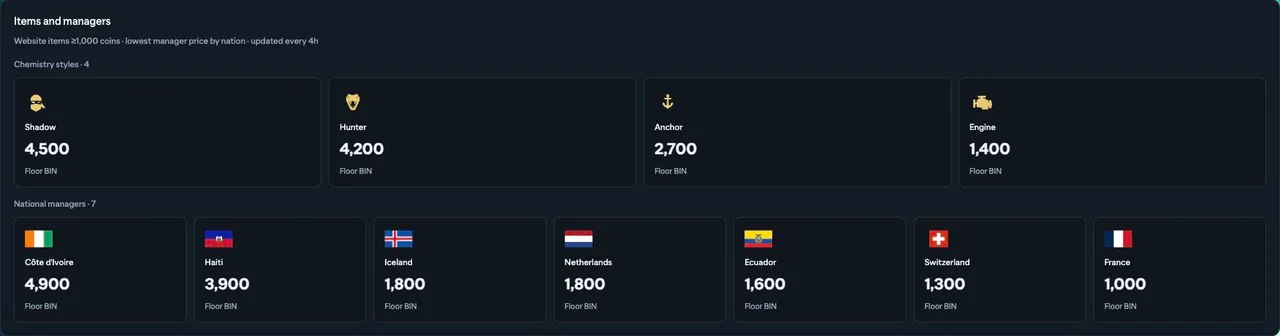
- Continue down Price reference to chemistry styles and managers by nation. Find your type or nation before checking the market.
- These are items covered by the website, not every item. Managers show the lowest reference price per nation; screenshot prices are not current listings.
Sniper and automated transfer tasks
- Open the Sniper / Smart Trader workspace. Configure a specific filter, buy/bid caps, task quantity or other available stop limits and search intervals. Check that reference quotes are current enough for your decision.
- Starting a configured task can automate searches and purchases. It is an active EA task, not a passive price alert. Avoid running another trading or SBC purchase task on the same account at the same time.
- Use the task’s Stop control and review the log before restarting. On EA throttling, soft limits or repeated errors, stop and wait instead of repeatedly retrying. No setting guarantees account safety or profit.
Check net profit after a sale
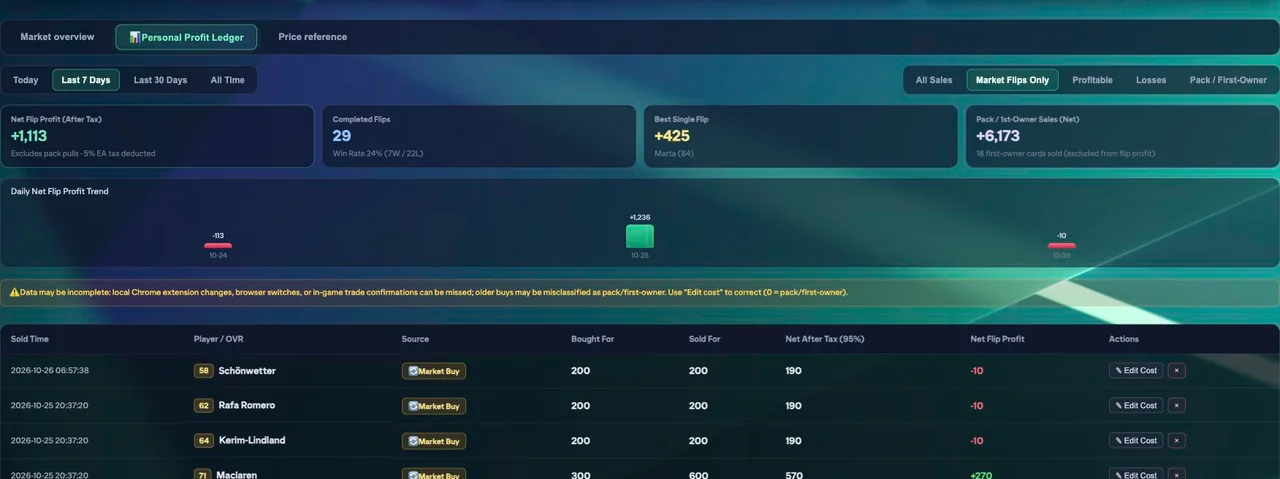
- Open Personal Profit Ledger. Choose Today, Last 7 Days, Last 30 Days or All Time, then filter flips, profits, losses or pack/first-owner sales.
- Compare purchase cost, sale price and net proceeds. Buy for 300 and sell for 600: after 5% tax, 570 remains, for 270 profit. Pack sales are separate from flip profit.
- Use Edit Cost if a purchase is missing or wrong; 0 means pack/first-owner. Browser changes or in-game transactions can leave gaps, so reconcile with confirmed trades.
Words used in this guide
- Fodder: cards mainly valued as SBC materials. A high rating alone does not make a card eligible.
- CPP means Coins per Point: a player’s coin price divided by the SBC points that card provides. 1,000 ÷ 830 ≈ 1.20 coins per point.
- BIN / Buy Now: the immediate purchase price of a particular listing, separate from a reference quote.
Market tracking
The current public FUTMarket extension is free, including these core tools and the other available club tools. EA Web App access is required. Card purchases and SBC submissions can spend game coins or items.
Free FC 27 Market Tracker Extension ↗